Your Jellyfin library, on the Apple TV, your iPhone, your Mac and in the car.
JellyGoose is a native app for your own Jellyfin or Emby server, on the Apple TV, the iPhone, the iPad and the Mac, and in the car with CarPlay. It finds your server, knows who's watching, and plays your files as they are: big, poster-forward browsing, films that start at once and stay smooth, live TV you can pause, your music and audiobooks, and none of the clutter.
Free for 7 days, then one unlock for every device: $4.99 until November 9, then $6.99
Apple TV · iPhone · iPad · Mac · CarPlay · Bring your own Jellyfin or Emby server · Open source
Take it in the car
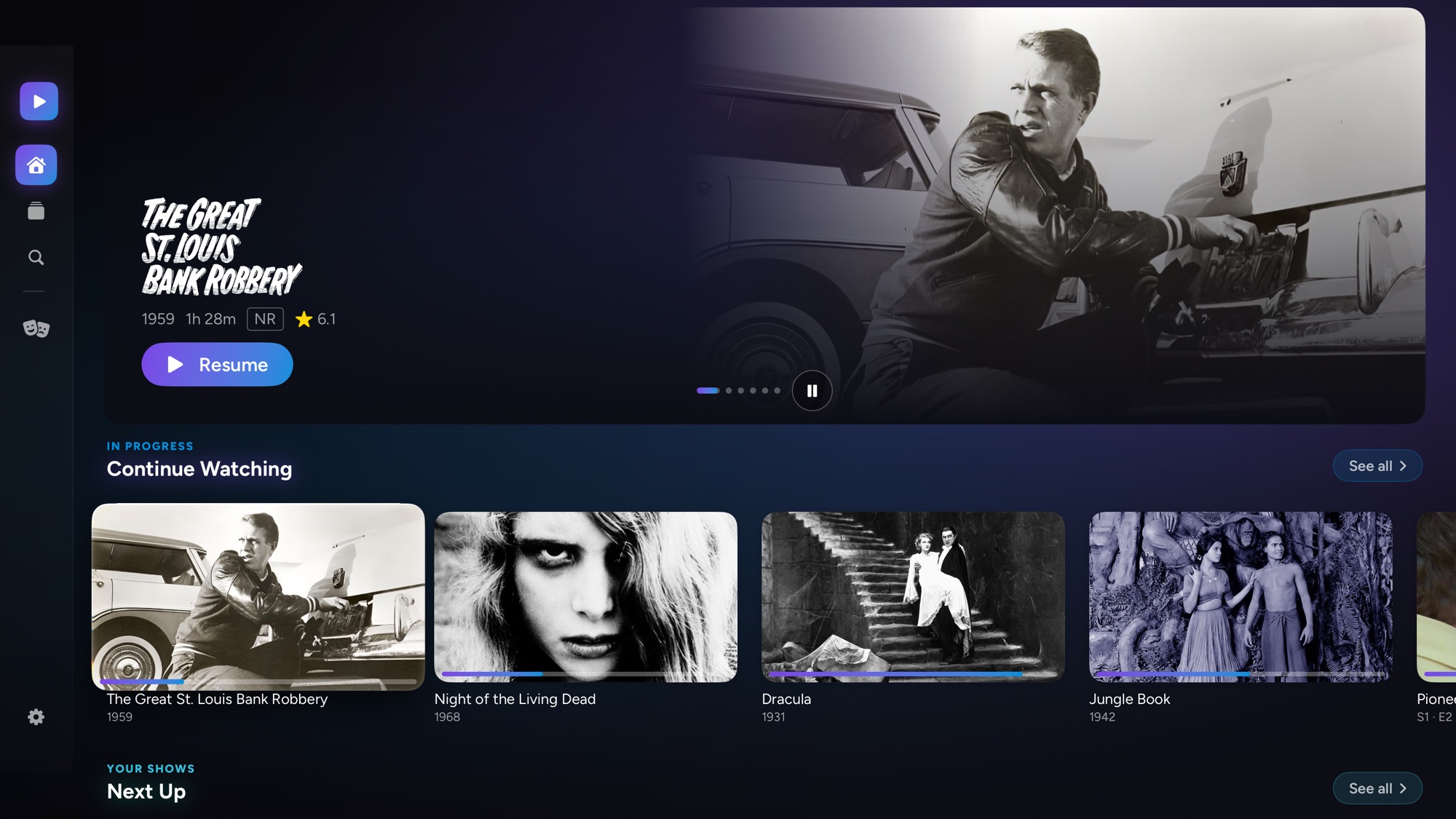
Your library on the car's screen
Connect your iPhone and JellyGoose is there in CarPlay, in any car that has it: Continue Watching and Next Up, your libraries from A to Z, your favourites, and Live TV with what's on every channel right now. On iOS 27, search too.
- On the road, you hear it. A film, an episode or a live channel plays through the car's speakers, from where you left off, and your place goes back to your server.
- Parked, you can watch it. In a car that shows video in CarPlay, the picture comes too.
- Live TV for the drive. The evening news on the way home, from your own tuner. Next and previous change channel.
- Audio and subtitles from the car's screen, and the next episode starts by itself.
Pictures on the car's screen need iOS 27 and a car that supports video in CarPlay, and play only while it's parked. Everywhere else, it's the sound.
On iPhone and iPad
Everything from the Apple TV, in your hand
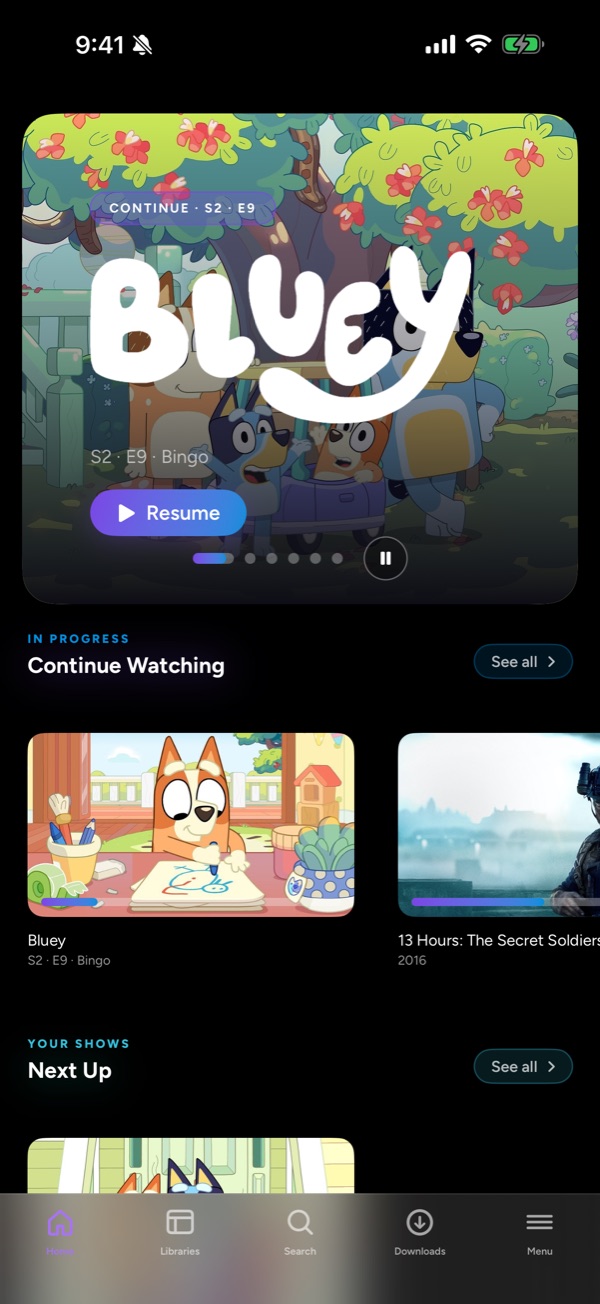
The same JellyGoose on your iPhone and iPad: Home, your libraries, the player that plays what the system player won't, Live TV you can pause, and Requests. One unlock covers all of them.
- Downloads. A film, an episode, a whole season, an album or an audiobook, to enjoy with no server in reach. Have your server make a smaller copy as it downloads, 1080p, 720p or 480p, so a whole season fits. Your place goes back to the server when you're home.
- Picture in Picture. Shrink a film to a corner and keep browsing, in JellyGoose or out of it.
- Play on TV. Send a film to the Apple TV and use your phone as the remote.
- Watch Together. Join a group from the sofa or the other side of town.
- New episode alerts. A notification when a new episode of a show you watch reaches your server, if you want one.
On the Mac
Your library in a window of its own
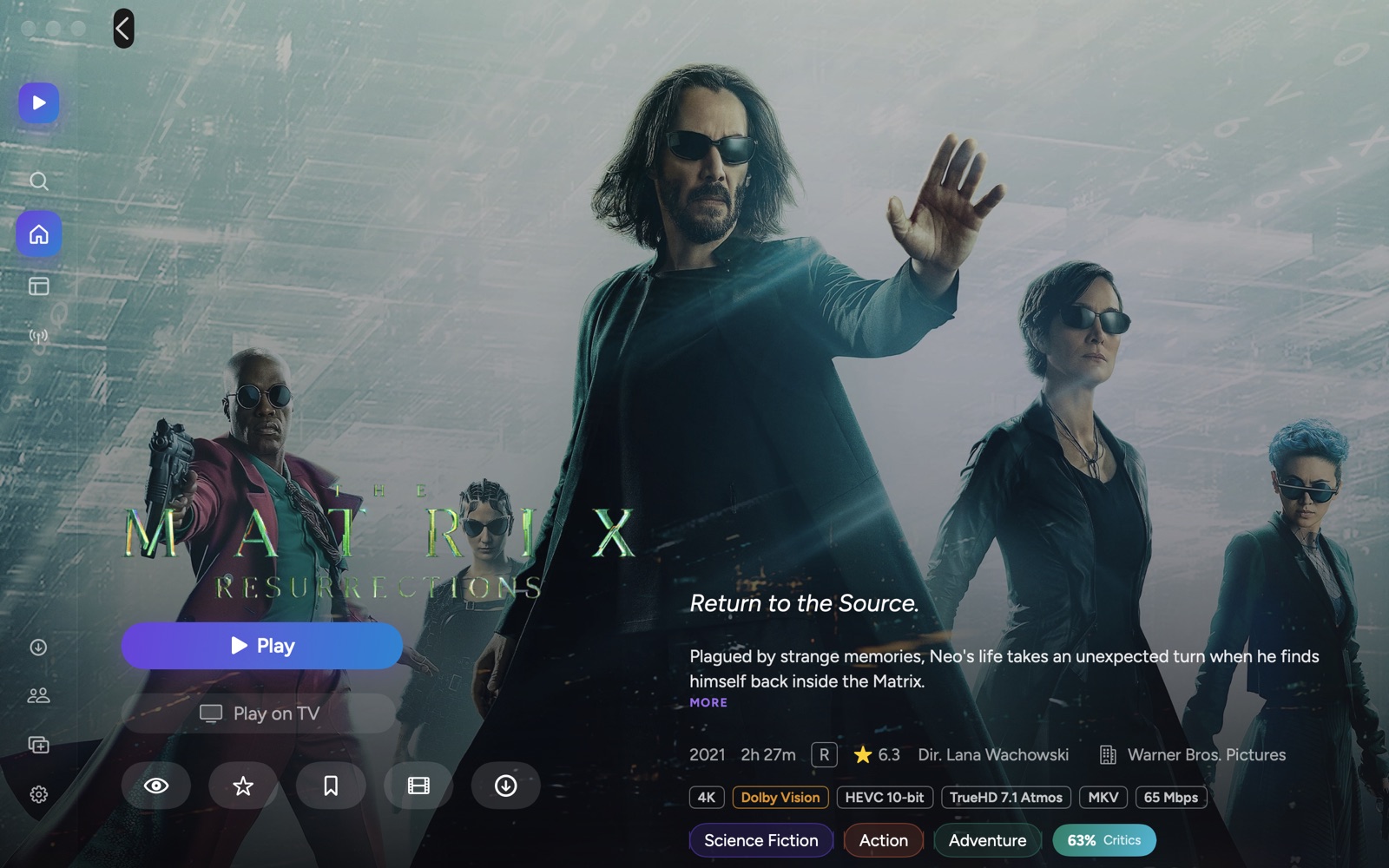
JellyGoose on the Mac is the same app, made for a pointer and a keyboard: Home, your libraries, Live TV, music, Requests and downloads, with a film in a window you can make as big as the screen. Space plays and pauses, the arrow keys skip, and the Controls menu has the rest.
Your unlock covers it, as it does the Apple TV, iPhone and iPad. Settings follow you from one to the other through iCloud.
Built for the way you actually watch
A Home that shows you what's there
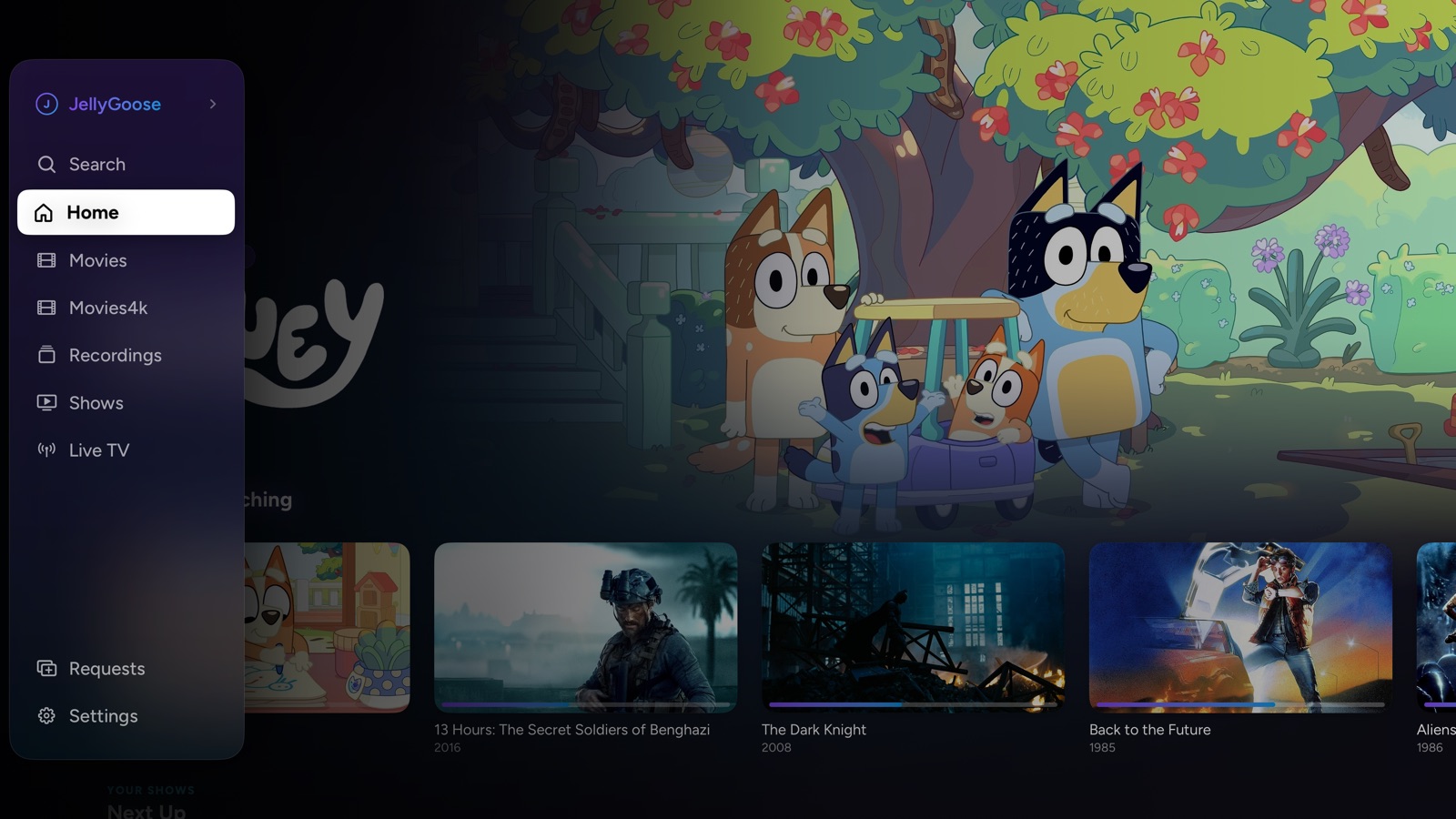
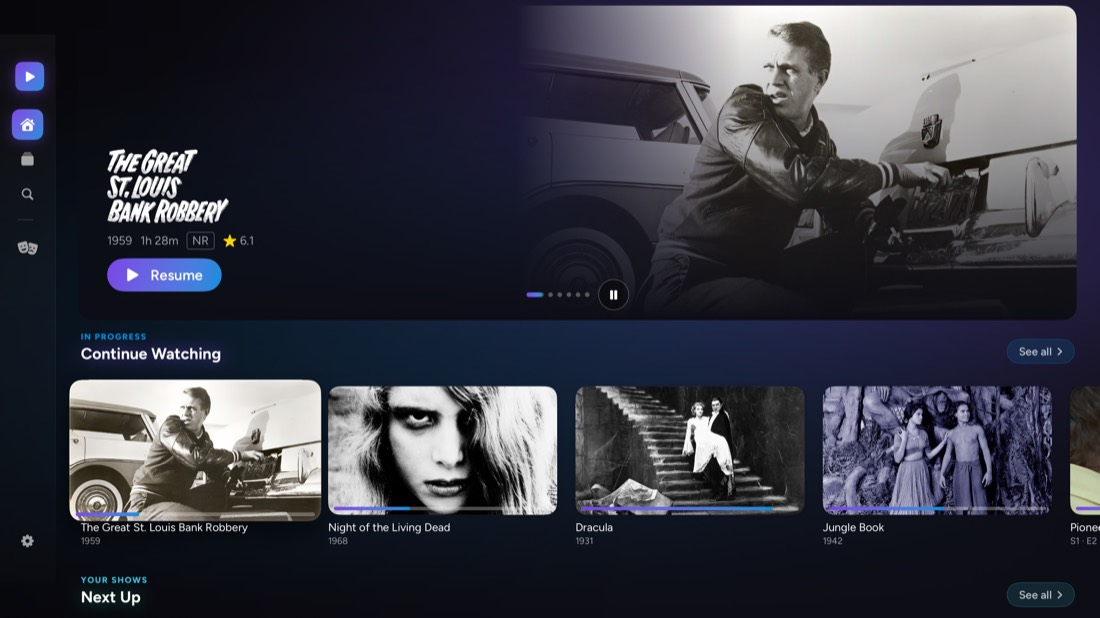
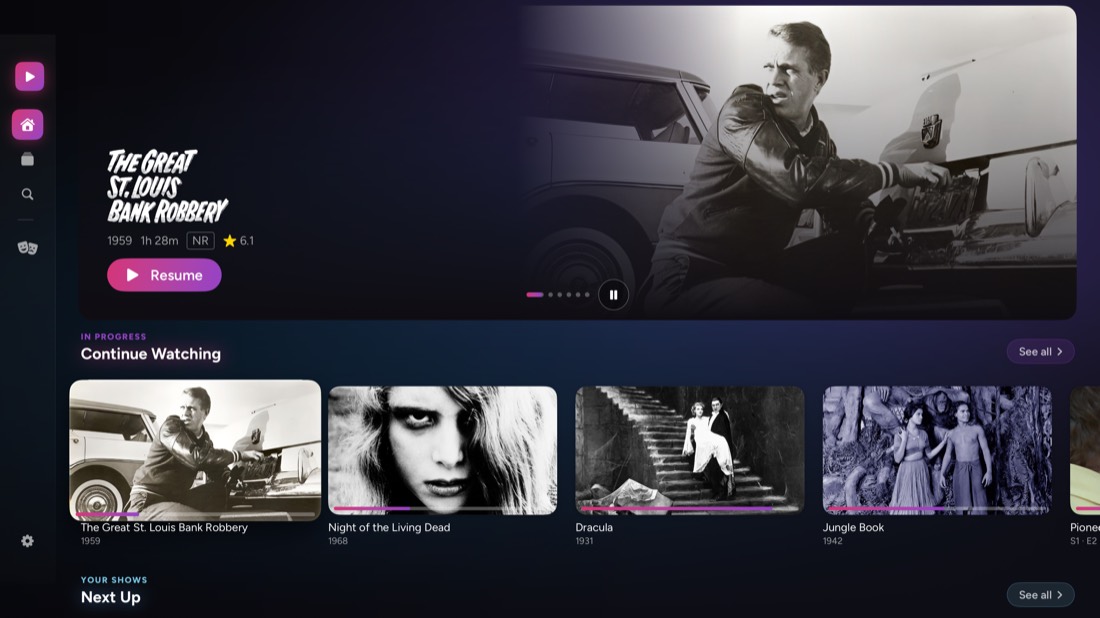
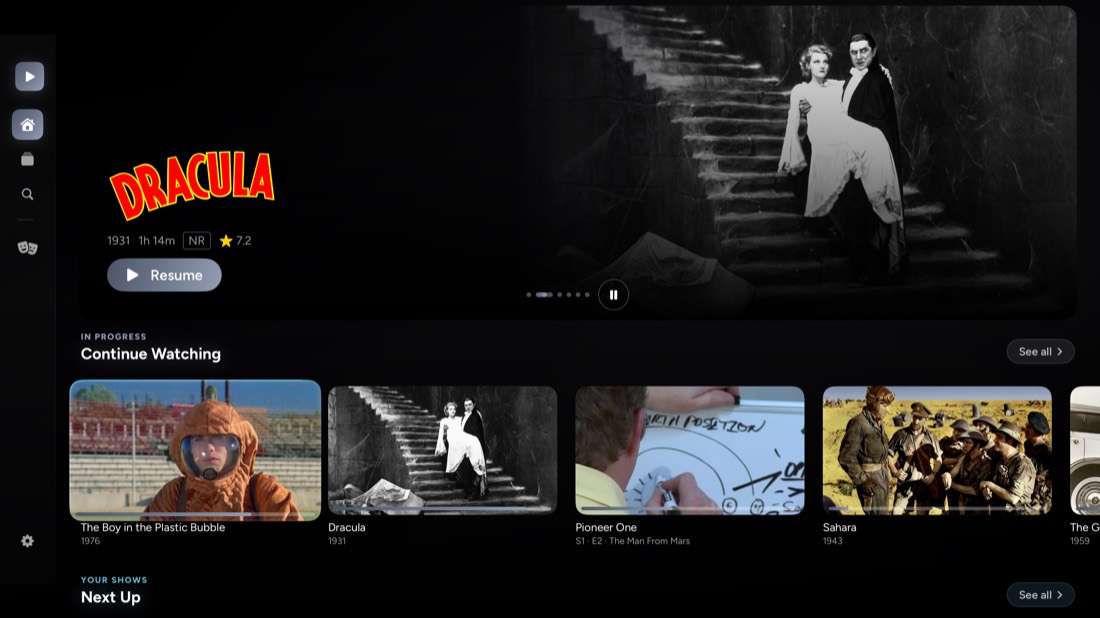
Whatever you highlight fills the top of the screen with its artwork, logo, tagline and details. Continue Watching, Next Up and the newest in each library glide into place beneath it, a press at a time.
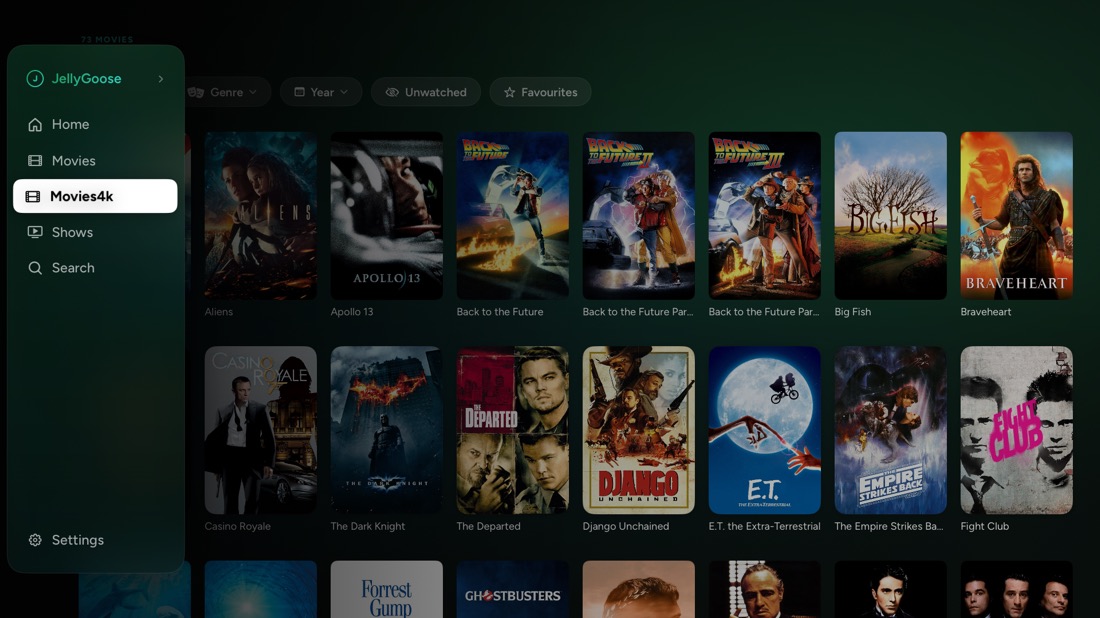
Back takes you to the top row, then to the menu, which opens over the page: your libraries, pinned views and search are a press away, with whoever's watching at the top.
Your files, played as they are
MKV remuxes are read from the original file on the Apple TV itself, instead of waiting for your server to repackage them. A 4K film starts at once and keeps its Dolby Vision, HDR and Atmos, and TrueHD and DTS soundtracks arrive in full, lossless 7.1.
H.264 and HEVC stay with Apple's player, where HDR and frame-rate matching belong. AV1, VP9, MPEG-2 and the rest are handed to a built-in VLC engine, so your server doesn't have to re-encode anything.

Live TV from your own tuner
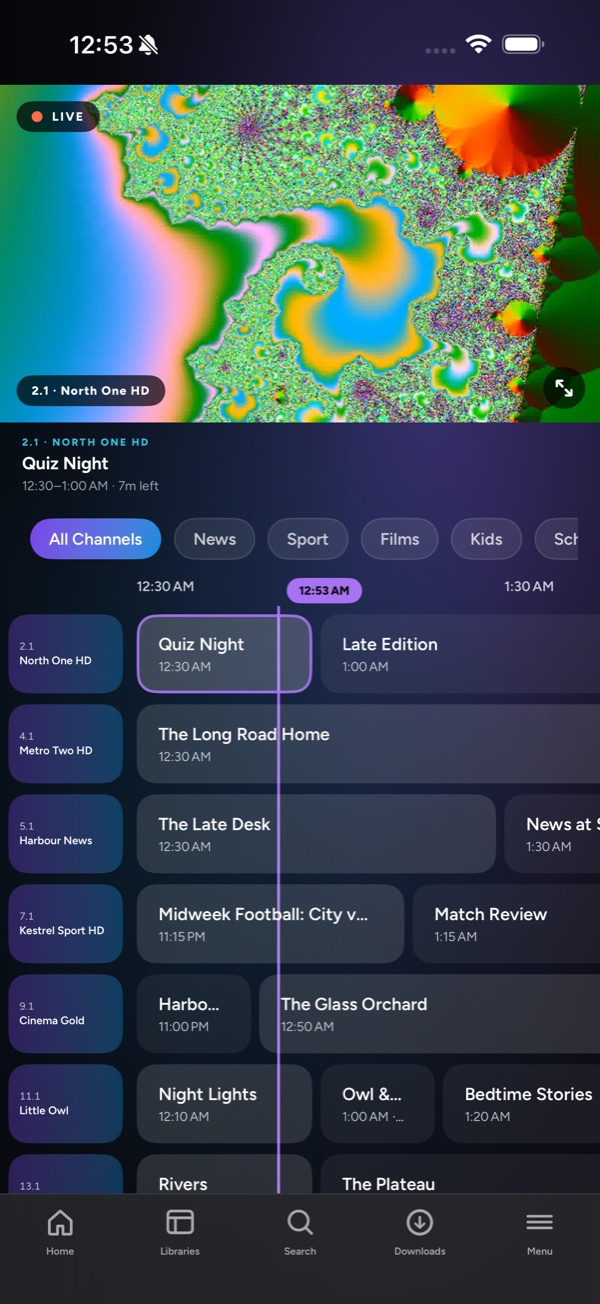
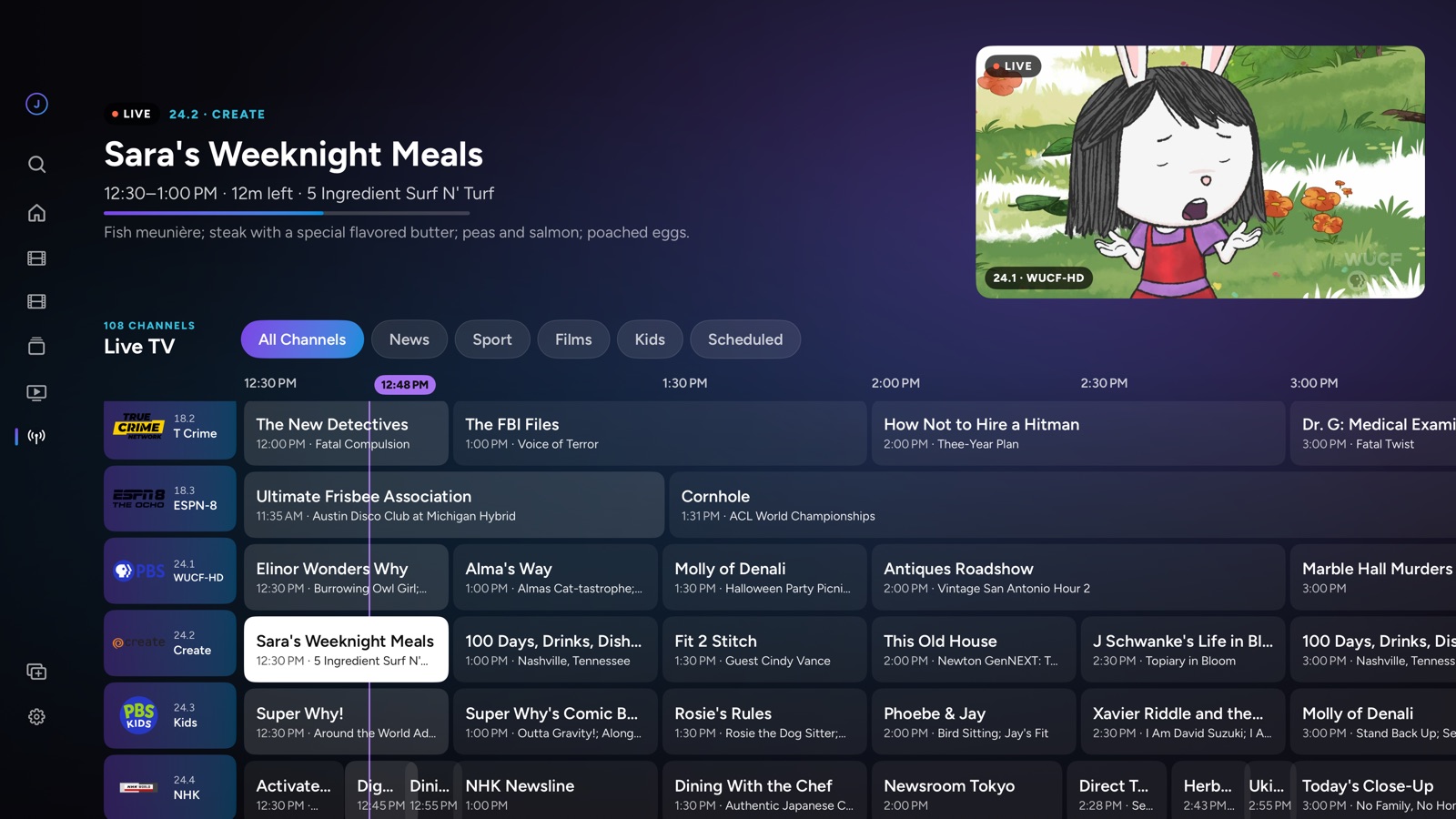
Give your Jellyfin server a tuner, an HDHomeRun for one, and JellyGoose adds Live TV: a guide to what's on and what's next, with the channel you were watching still playing in the corner while you look around. Keep to your favourites, or to the news, sport, films or children's programmes.
What's on now gets a row on Home as well. Record one showing or every episode of a series, see what's set to record, and find the recordings in a library of their own.
Pause a channel, or go back through it
The Apple TV keeps up to half an hour of the channel you're watching, so live TV handles like a film. Pause it. Press left to hear a line again, or hold it to run back further. Press right to catch up, all the way to live. A bar shows where you are and how far behind.
Press down for a card about what's on and what follows it, and up for the channel's captions.

Four channels at once
Put two channels side by side, or four in a square that fills the screen, and hear whichever one is highlighted. Move the highlight and the sound follows it. Select swaps a channel, adds another or takes one off; Play goes full screen on it.
Each picture is a channel of its own, so the game, the news and whatever else is on can all run while you wait for the moment that matters.

Your albums and your books, too
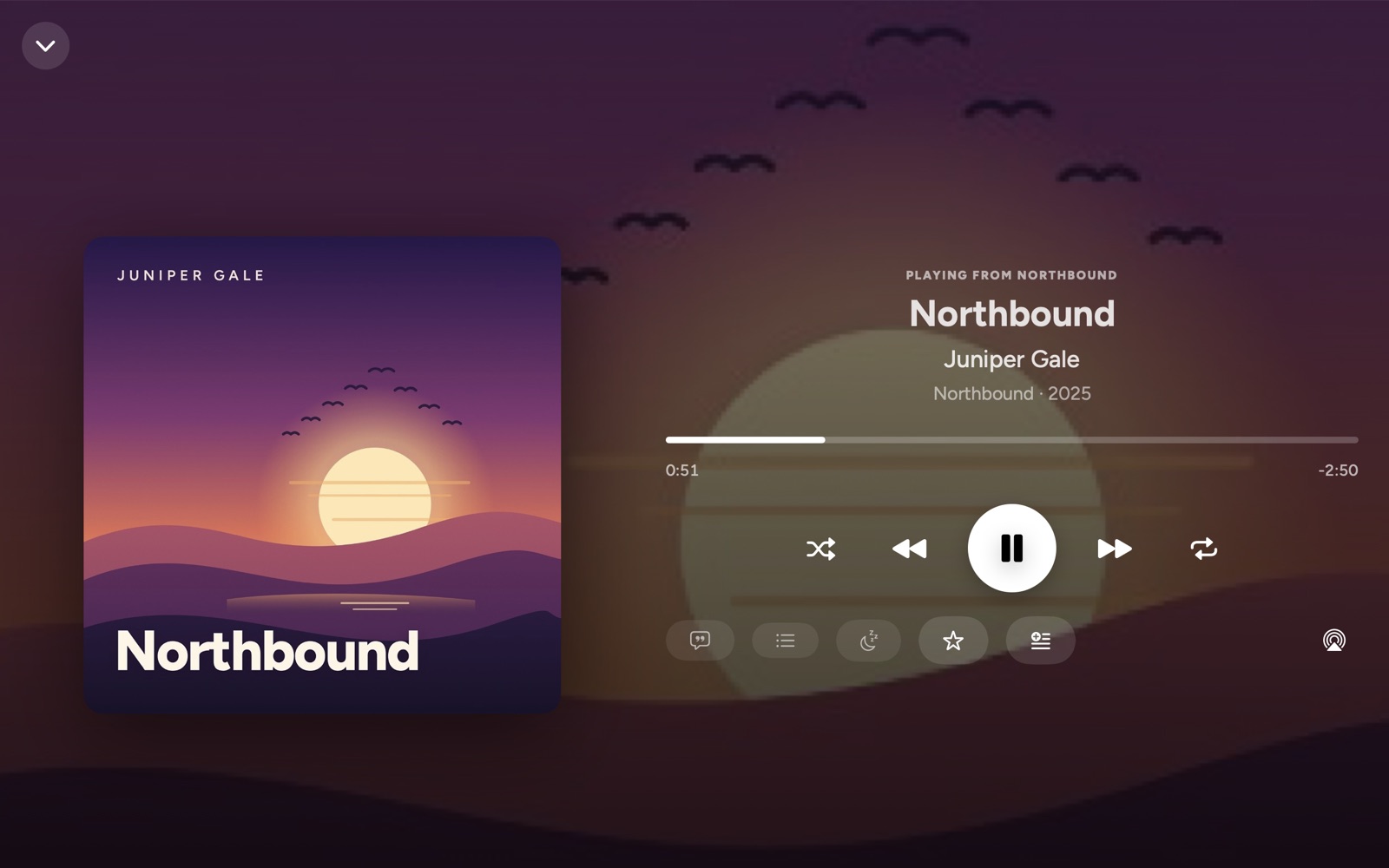
Your server's albums, artists and playlists, with lyrics, Up Next and Instant Mix. The music plays on while you browse, and in the car with CarPlay.
Audiobooks go chapter by chapter, at your speed, and pick up where you stopped. On iPhone, iPad and Mac, download an album, a playlist or a book and listen with no server in reach.
What a file actually is, at a glance
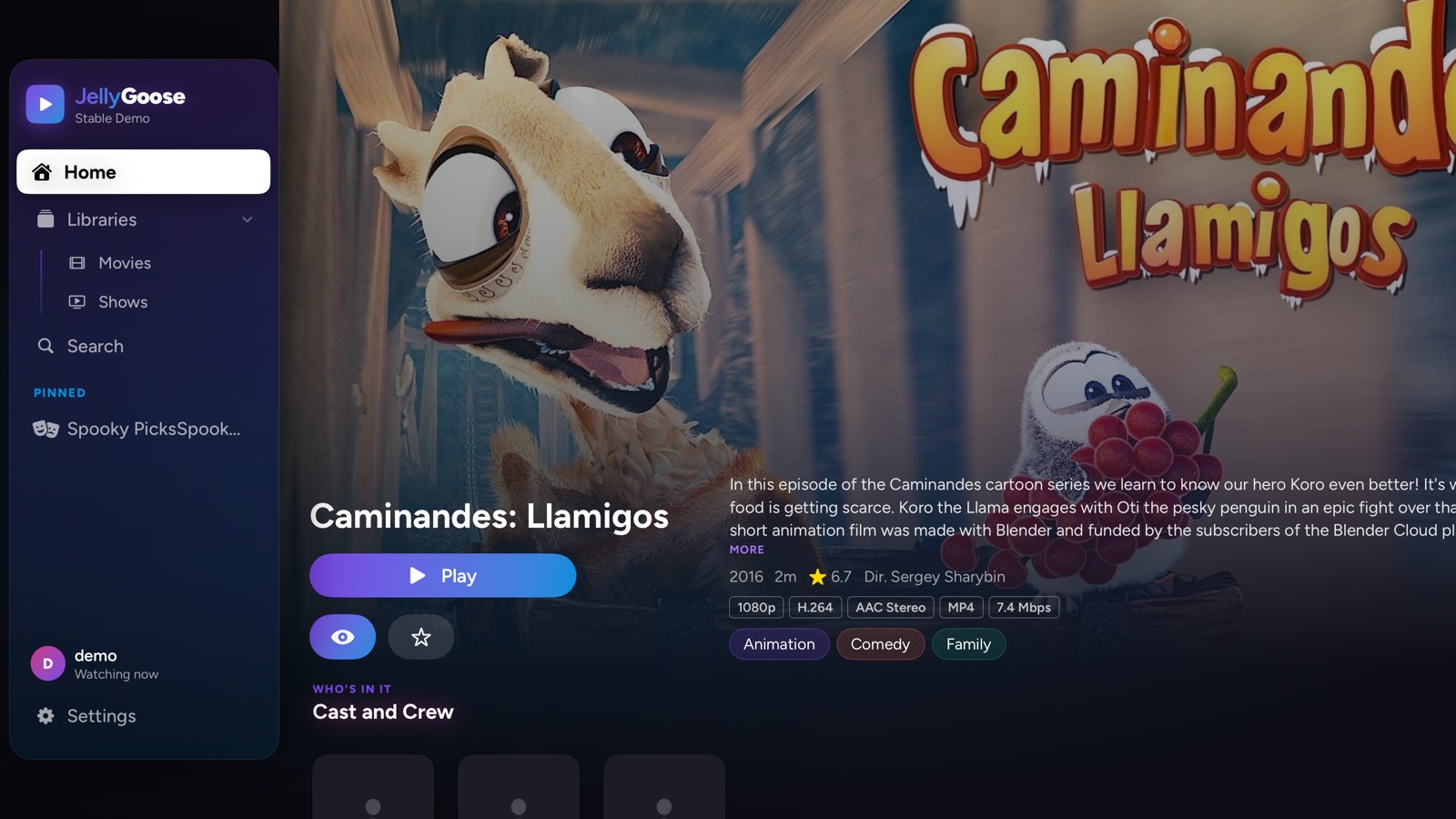
Every film and episode shows its resolution, HDR format, codecs, audio layout, container and bitrate, read from the file itself, beside the critics' score, the director and the studios behind it.
Libraries that keep up
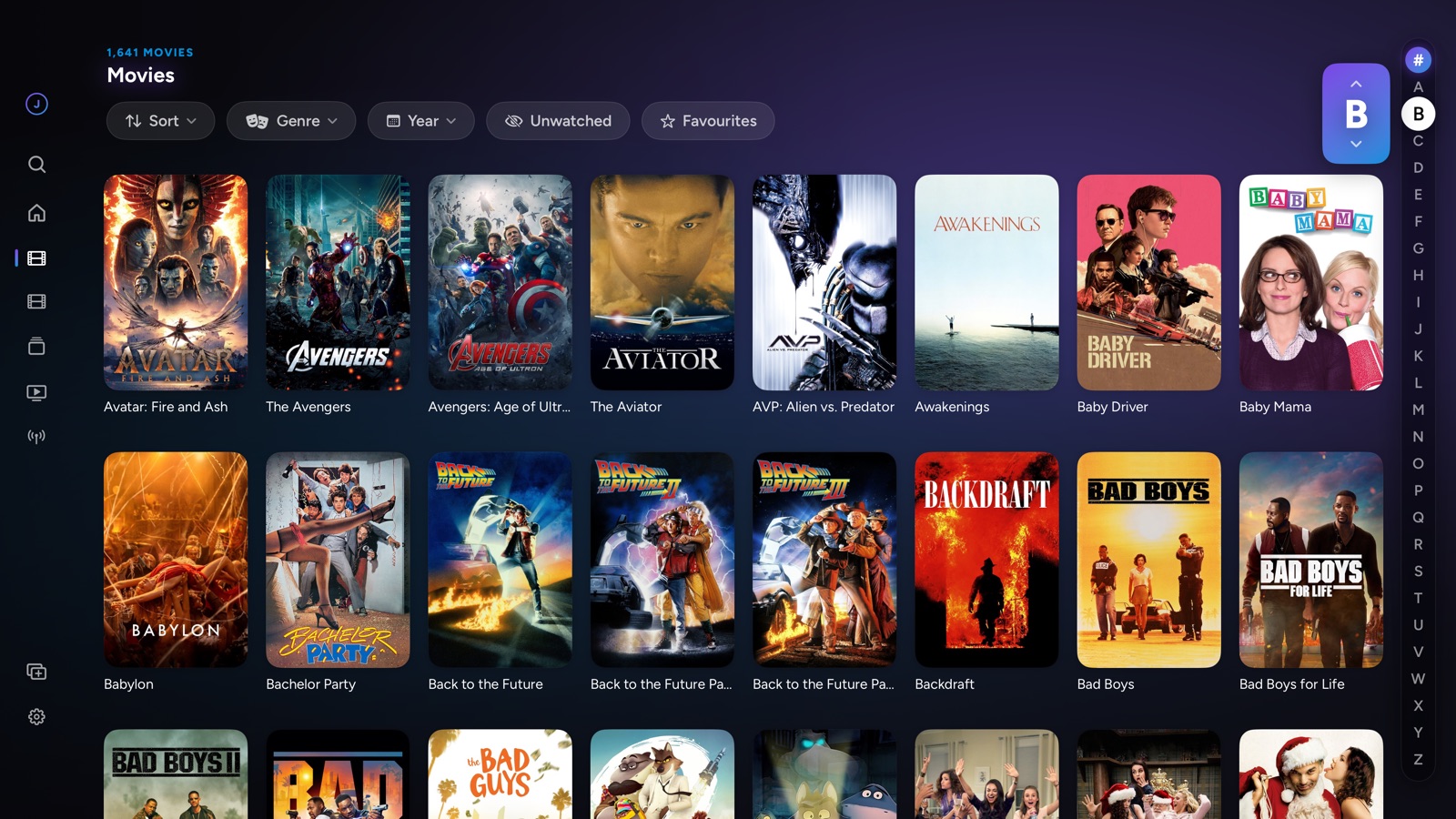
Move through thousands of titles a row at a time, or jump to any letter from the A to Z down the side. Sort by title, date added, release date, date played, rating, critics' score or running time, either way round, or pull out a random handful.
Choose several genres or decades at once, show only what you haven't watched, and each library remembers how you left it. Pin any view to the menu: unwatched comedies from the nineties, or every episode added recently across all your shows.
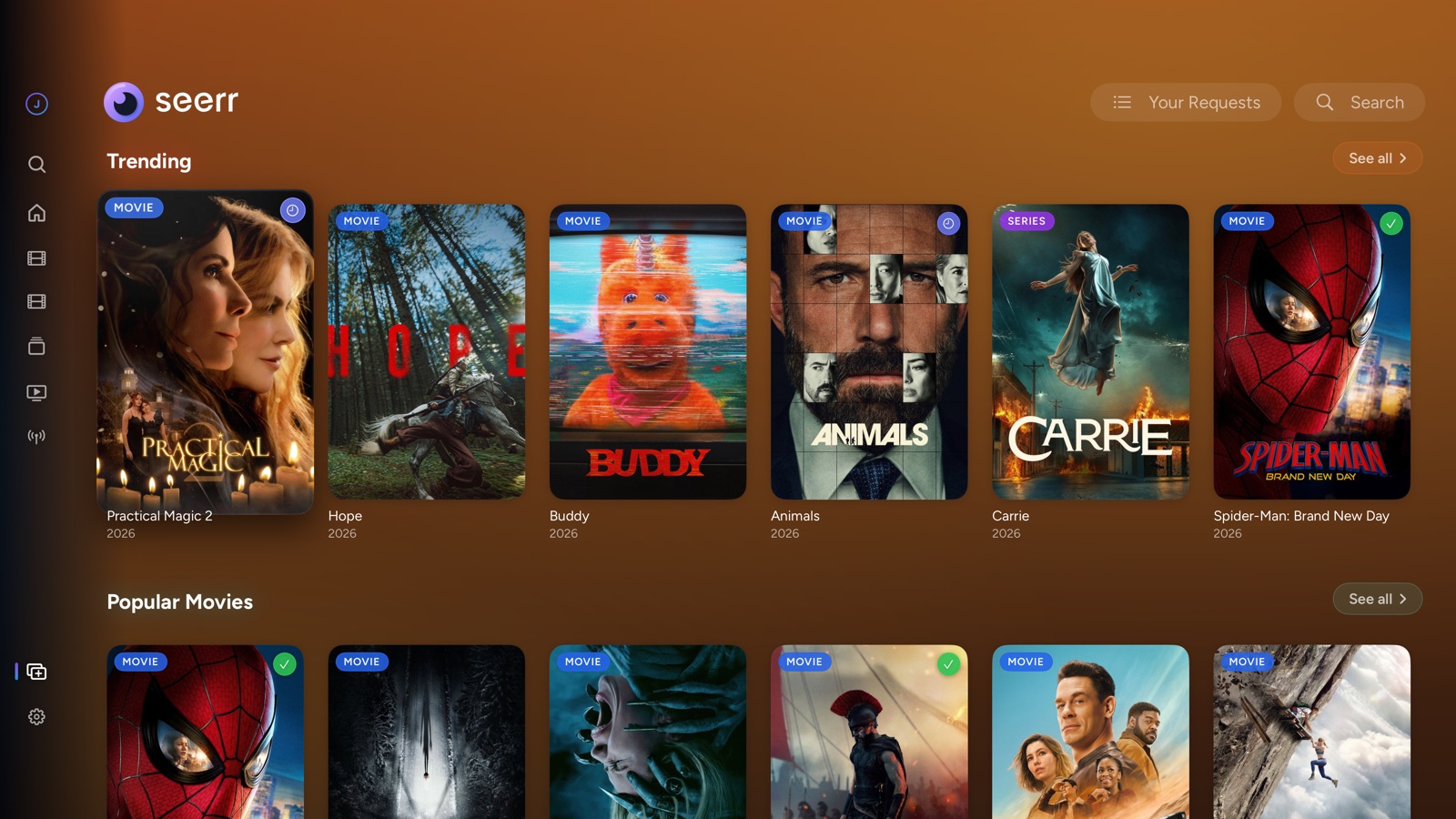
Ask for what isn't there
Run Seerr beside your server and JellyGoose finds it and adds a Requests section: what's trending, popular and coming soon, by genre, studio and network. Search for anything, and ask for a film, a show or just one season from the sofa.
Connect once and you're in as whoever's watching, with nothing to type.
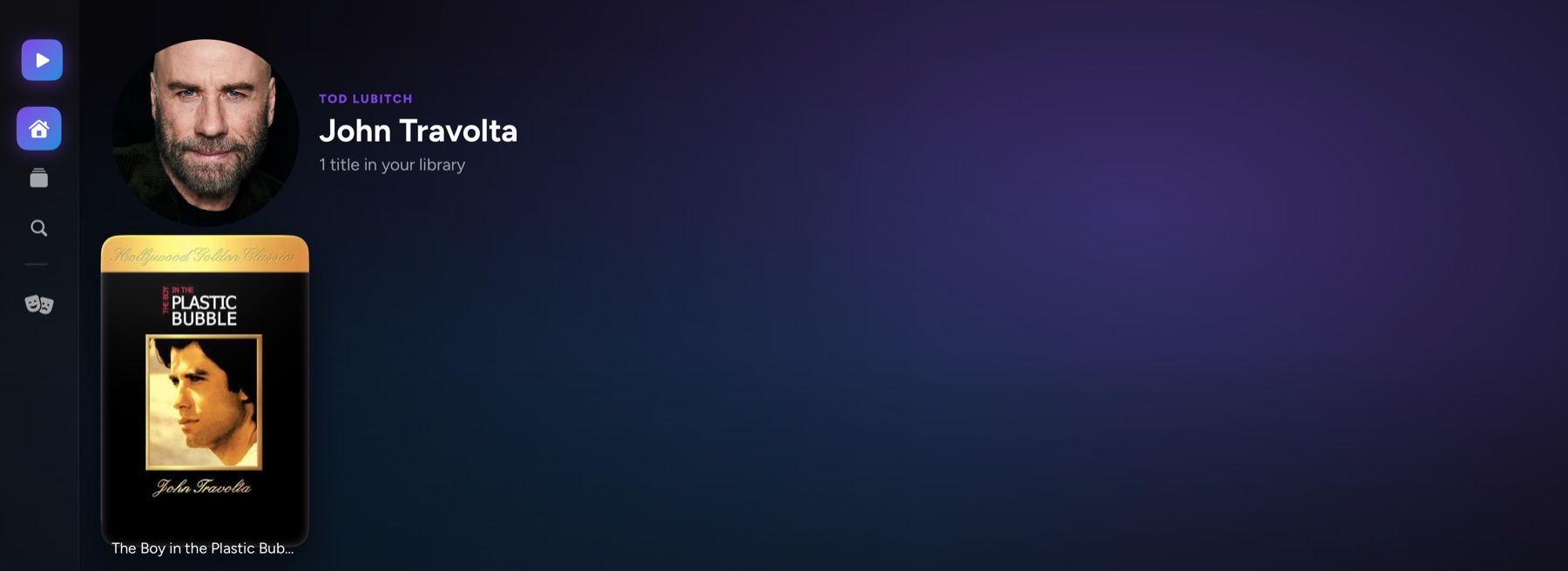
Follow a face, or a studio, through your library
Choose anyone in the cast for a short biography and everything else they're in that you actually own. The studio or network beside a title's details works the same way: pick one and there's everything else of theirs.
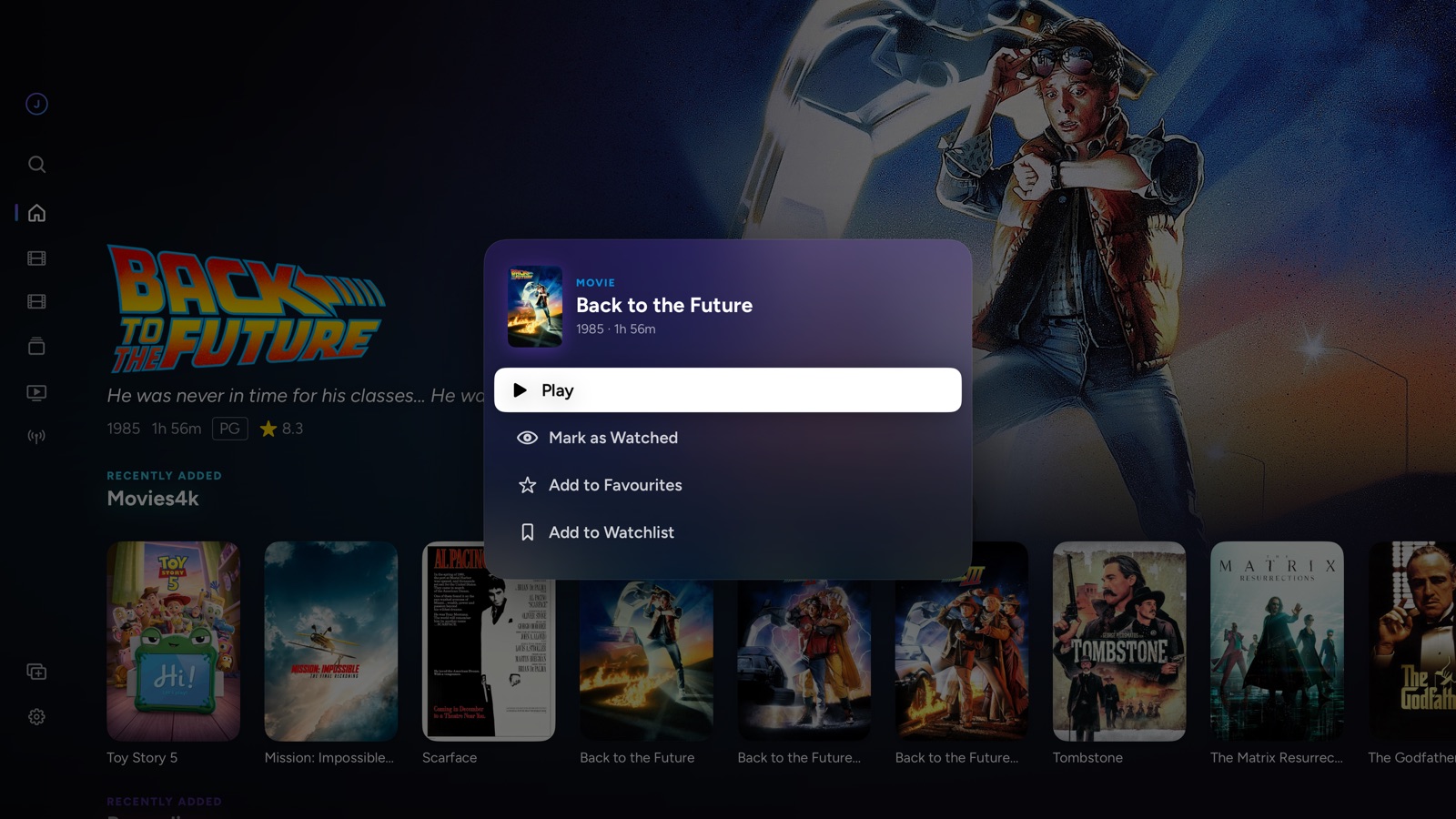
Hold a poster, skip the page
Long-press any poster to play it, mark it watched, make it a favourite, add it to your watchlist or clear it from Continue Watching, without opening its page. Mark a whole season watched in one go.
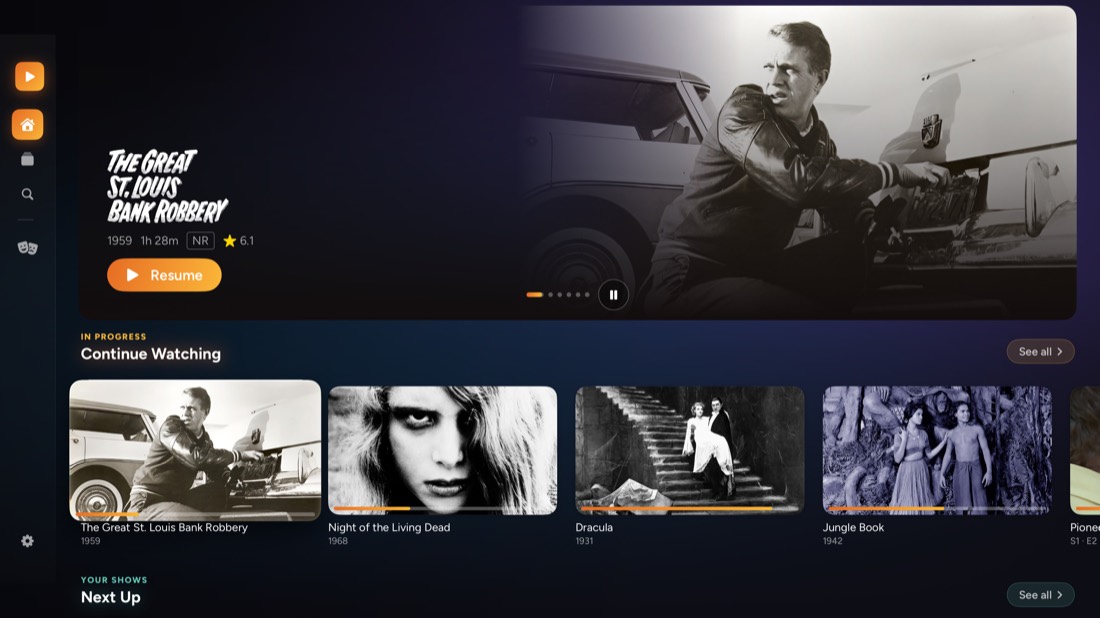
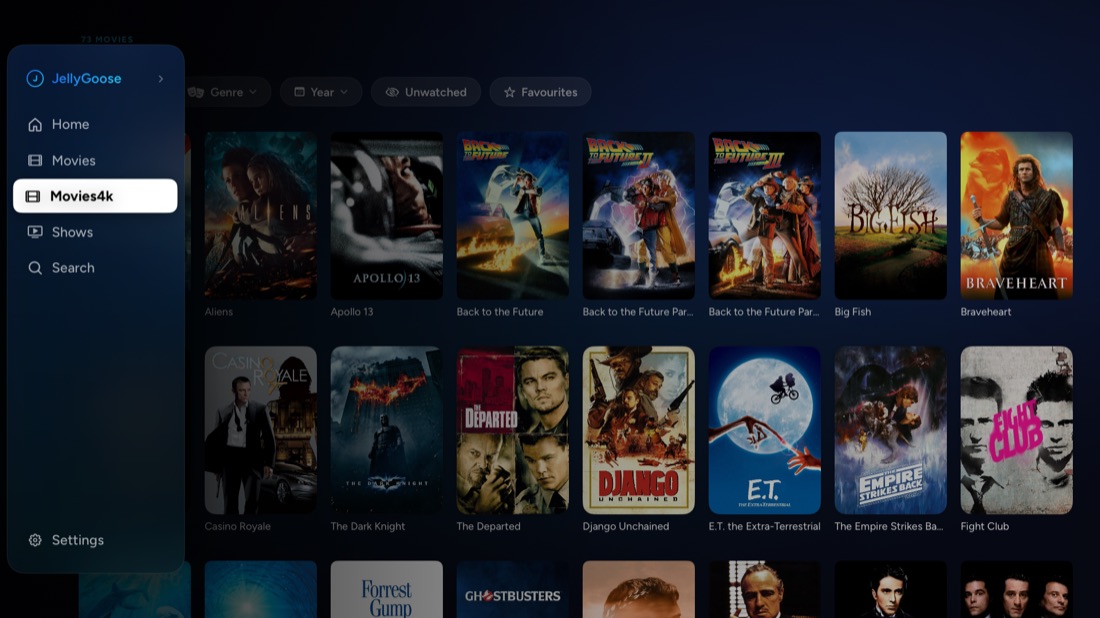
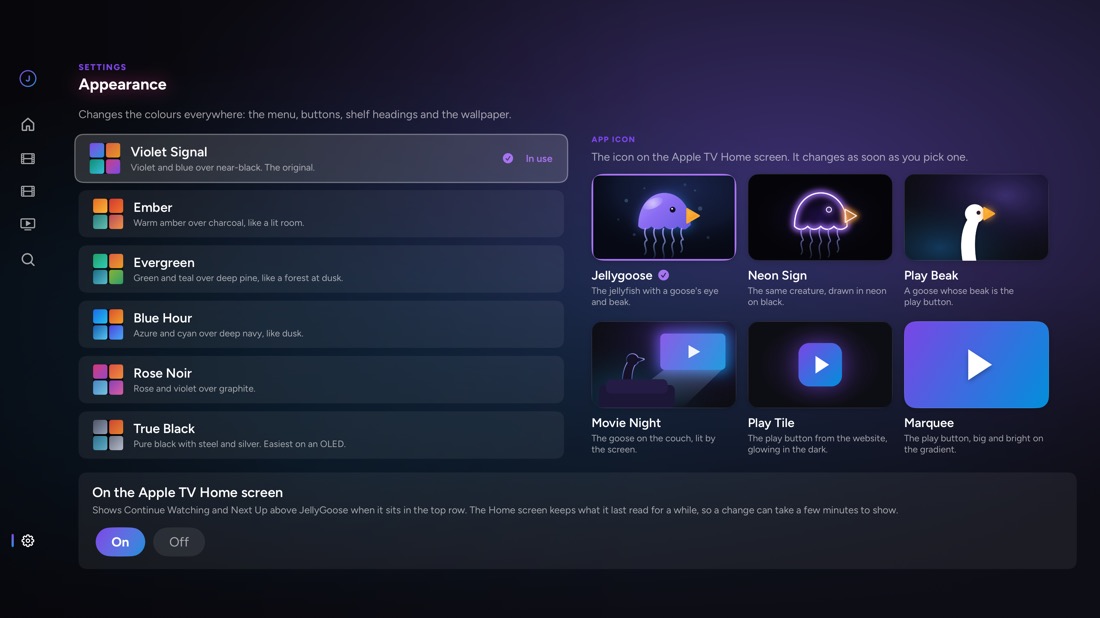
Six colour schemes, six icons
Pick a scheme in Settings and the whole app repaints: menu, buttons, shelf headings and the wallpaper behind it all. Pick an icon and the Apple TV Home screen changes with it.
The details
Direct play first
Files the Apple TV understands are played untouched. MKV is read on the Apple TV itself and everything else goes to VLC, before anyone re-encodes anything.
Quick to start
A film is made ready while you read its page, so Play goes straight to playing, and scrubbing previews are fetched as it plays.
Matches your TV
Sets the frame rate and dynamic range to the video's own before playback starts.
Finds your server
Setup looks for Jellyfin servers on your network, so you pick yours instead of typing an address with the remote.
Who's watching
Everyone signed in on the Apple TV gets a face on the sign-in screen. Pick yours and you're in, with your own history and favourites.
Subtitles that keep time
Text subtitles are drawn on the film's own clock, and Blu-ray and DVD picture subtitles straight from the file. Choose their size, colour, background and height, or nudge one timed to a different cut.
Subtitles when there are none
Search the internet from the player. Your server fetches the one you pick, and it appears without the film restarting.
Skip what you've seen
Skip intros and credits, or have them skipped for you. Jump between chapters, preview frames while you scrub, and see the next episode coming as the credits roll.
Sound in step
When a film's sound runs ahead of its picture or behind it, pull it back into time. The same goes for a live channel, speaker by speaker.
Watch together
Start a group or join one, and everyone watches the same film at the same moment on their own screen. A pause or a skip is everyone's. It's Jellyfin's own SyncPlay, so someone on the web player can join in too.
A profile for everyone
JellyGoose follows whoever is chosen on the Apple TV: their own sign-in, Continue Watching and settings. Someone new picks their face once.
From the start
Tuned in late? A programme your server is recording can be watched from its beginning while it's still on.
Skip the commercials
Where your server has marked the breaks in a recording, they're drawn on the timeline and a press skips each one.
What's on, in Search
Search finds programmes in the TV listings as well as your library, with every time they're showing, to watch or record.
A sleep timer
Stop after a quarter of an hour or up to an hour and a half, or when the film, episode or programme ends.
Stats when you want them
A Stats button shows which player has the film, and whether your server is converting anything and why.
Speed and shuffle
Change the playback speed, shuffle a whole show, or play a collection or playlist straight through.
Home, your way
Put Home's rows in the order you choose, and switch off the ones you never use.
A watchlist
Keep a list of the films you mean to get to. One comes off it by itself once you've watched it.
Search that finds people
Films, shows and collections by name, and the people in them: choose an actor and there's everything of theirs you own.
Resume everywhere
Progress is reported to Jellyfin as you watch, so Continue Watching stays in step with every other client.
On the Top Shelf
Continue Watching and Next Up sit above JellyGoose on the Apple TV Home screen, one click from playing.
Quick Connect
Sign in with a code from another device instead of typing a password with the remote.
Run the server from the sofa
Add, rename and remove libraries, add folders, scan for changes or refresh metadata, and watch the progress on screen.
A dashboard for whoever runs it
See who's watching what and how it reaches them, send a message or stop playback, run the server's scheduled tasks, read its activity, and install, update or remove its plugins.
Jellyfin or Emby
JellyGoose signs in to either, and keeps several servers and accounts side by side.
In your language
English, Spanish, French, German, Italian, Portuguese, Dutch, Japanese and Chinese.
Open source
The whole app is on GitHub, to read, build and improve. Bug reports and pull requests are welcome.
Nothing phones home
The app talks to your server and nowhere else, beyond asking your own network where that server is. No accounts, no analytics, no third parties.
Try it, then pay once
Everything works free for 7 days. After that, playing needs a one-time unlock that covers the Apple TV, iPhone, iPad and Mac; browsing your server stays free. No subscription, no ads, nothing more to buy. Had JellyGoose before 1.7.1? It's already unlocked.
Get JellyGoose
JellyGoose is on the App Store, free to download and to try for 7 days. Then a one-time unlock, $4.99 until November 9 and $6.99 after, covers the Apple TV, iPhone, iPad and Mac. If you had JellyGoose before 1.7.1, it's already unlocked. Here's what you'll need.
- 1
An Apple TV, iPhone, iPad or Mac
An Apple TV on tvOS 18 or later (on an Apple TV 4K you also get HDR, Dolby Vision and frame-rate matching), an iPhone or iPad on iOS 18 or later, or a Mac on macOS 15 or later. CarPlay comes with the iPhone.
- 2
Your own Jellyfin or Emby server
Any recent Jellyfin or Emby, on your network or reachable over the internet. There's no JellyGoose account and no service in the middle. Live TV wants a tuner set up in Jellyfin, and Requests wants Seerr running beside it; without them, those sections stay out of the way.
- 3
Sign in once
Pick your server from the ones JellyGoose finds on your network, or type its address, then sign in with your password or a Quick Connect code from your phone. After that, it's one press on your face.
Support
Something not working, or something you'd like JellyGoose to do? Email hello@goosehouse.org. It helps to say which Apple TV, iPhone, iPad or Mac, the version of JellyGoose (Settings, About) and the version of your server. Bugs can also go straight to GitHub.